在线修复老照片
修复扫描照片上的折痕和划痕,或改善褪色的家庭照片。修复预设会保留原片的黑白或彩色风格。
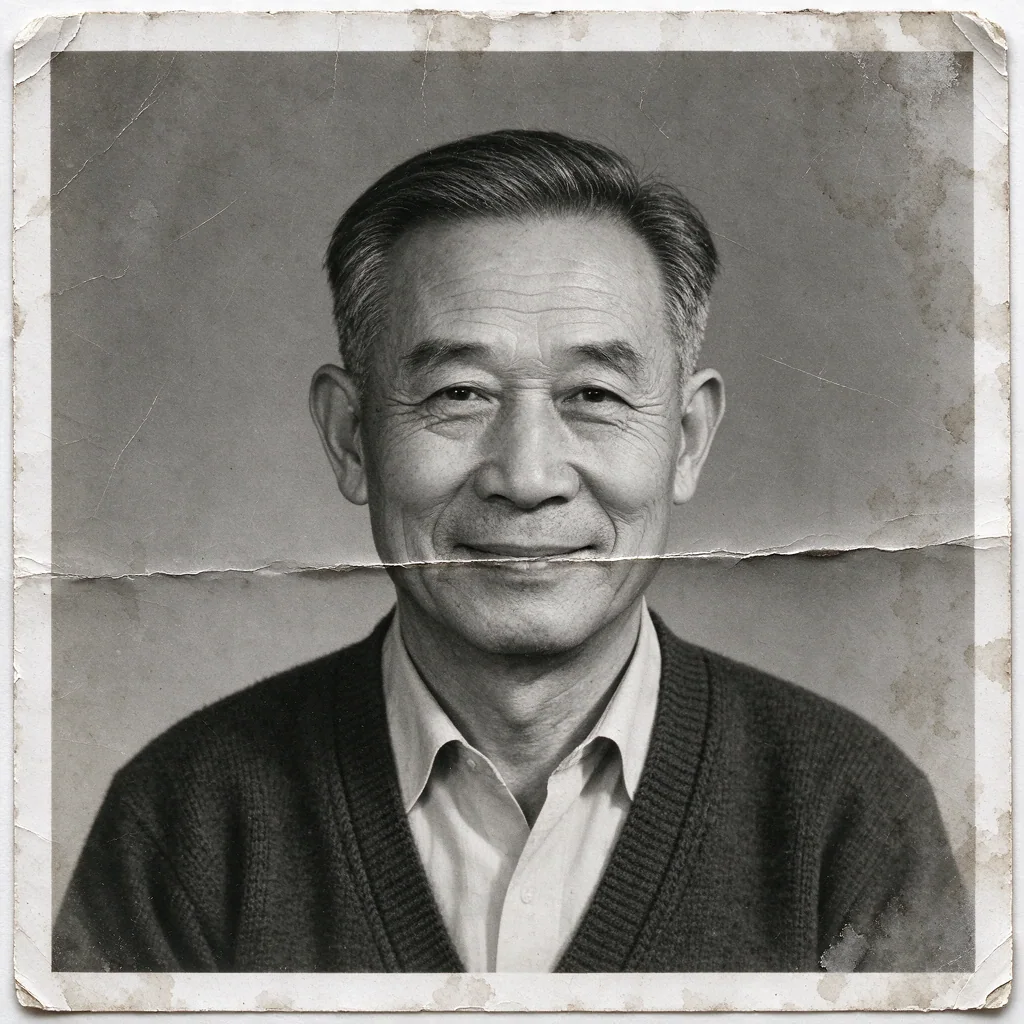 原图
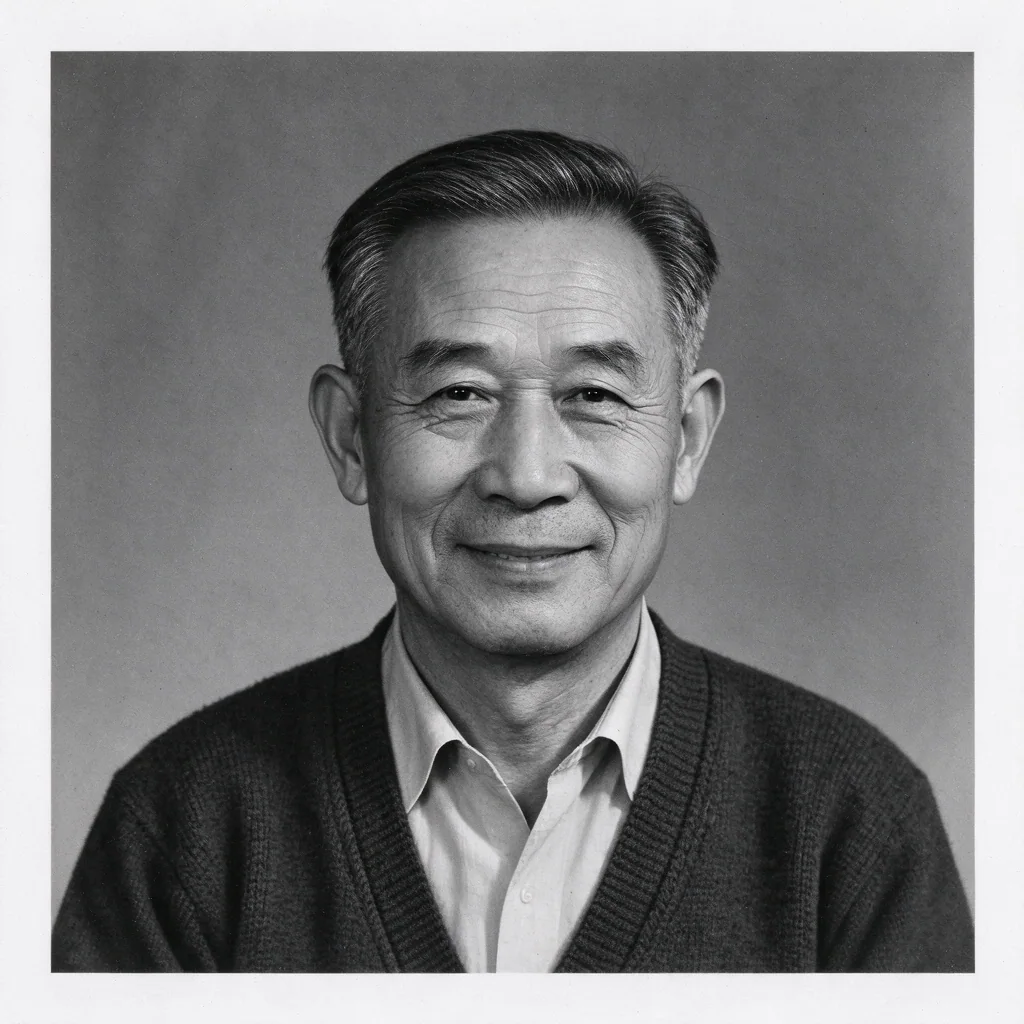 示例结果
查看此次修复使用的提示词
Restore this damaged black-and-white portrait. Remove the fold crease, scratches, water stains and dirt, and reconstruct the small torn corners. Preserve the same older man's identity, facial proportions, expression, hairstyle, knitted cardigan, collared shirt, pose, crop and studio backdrop. Recover natural facial and hair detail with balanced contrast and subtle vintage film grain. Keep the photograph black and white; do not colorize, modernize, smooth the skin into plastic, add text or change the clothing.
按照片的损伤选择修复方式
修复老照片折痕
用折痕两侧的色调与颗粒作参考,减轻因折叠留下的明线或暗线。
修复提示词示例
Repair the visible fold mark in the scanned photo. Match the nearby tones and grain across the crease, leaving uncertain areas soft. Preserve the original framing, faces, expressions, clothing, surroundings and color treatment. Keep a black-and-white photo black and white. Leave intact details alone.
去除老照片划痕
清理细小的表面划痕和灰尘,同时保留发丝、衣服接缝等真实细节。
修复提示词示例
Reduce thin surface scratches and dust on the scan. Repair only the damage using nearby tones and textures. Preserve the subject, crop, existing photographic grain, hair and fabric seams. Keep the original color treatment, including black and white where present.
改善褪色家庭照
恢复褪色照片的对比度。仅调整原本就是彩色的部分,黑白照片保留黑白。
修复提示词示例
Gently restore tonal separation in this faded photograph without crushing shadows or brightening highlights excessively. If this is a color print, reduce fading and unwanted color casts while preserving plausible original colors. Keep black-and-white photos black and white and preserve sepia if present. Preserve the original people, age, expressions, clothing, setting, crop and natural grain. Leave uncertain details soft and add no replacement faces, modern objects or strong saturation.
查看褪色家庭照的对比
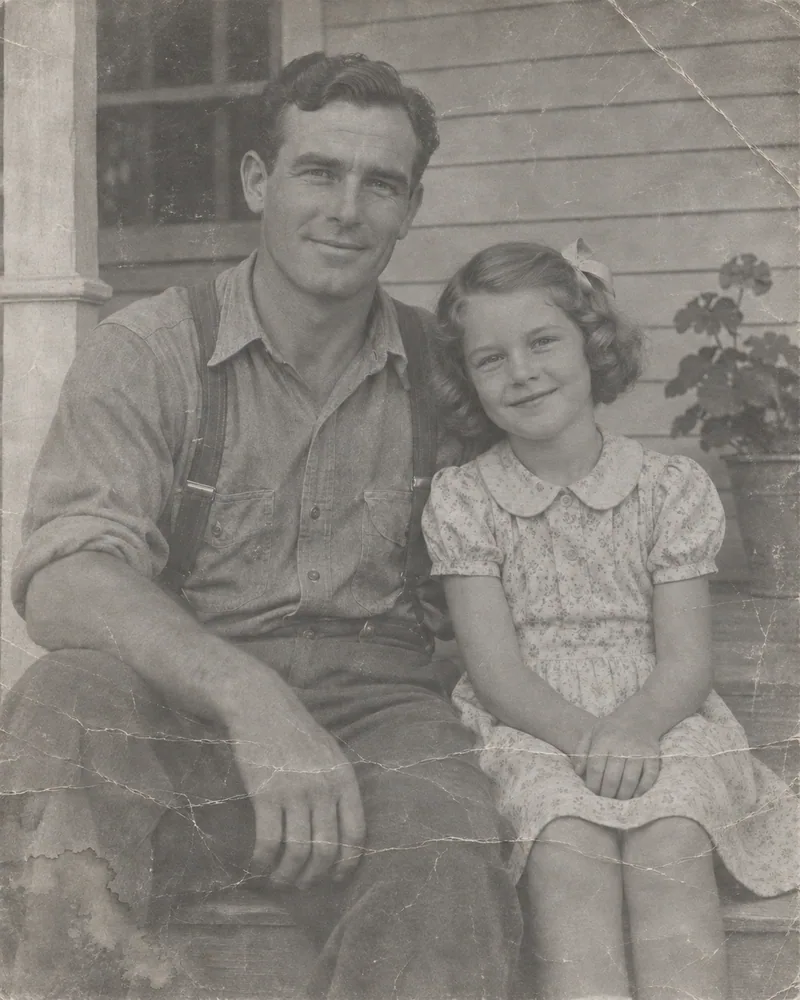 原图
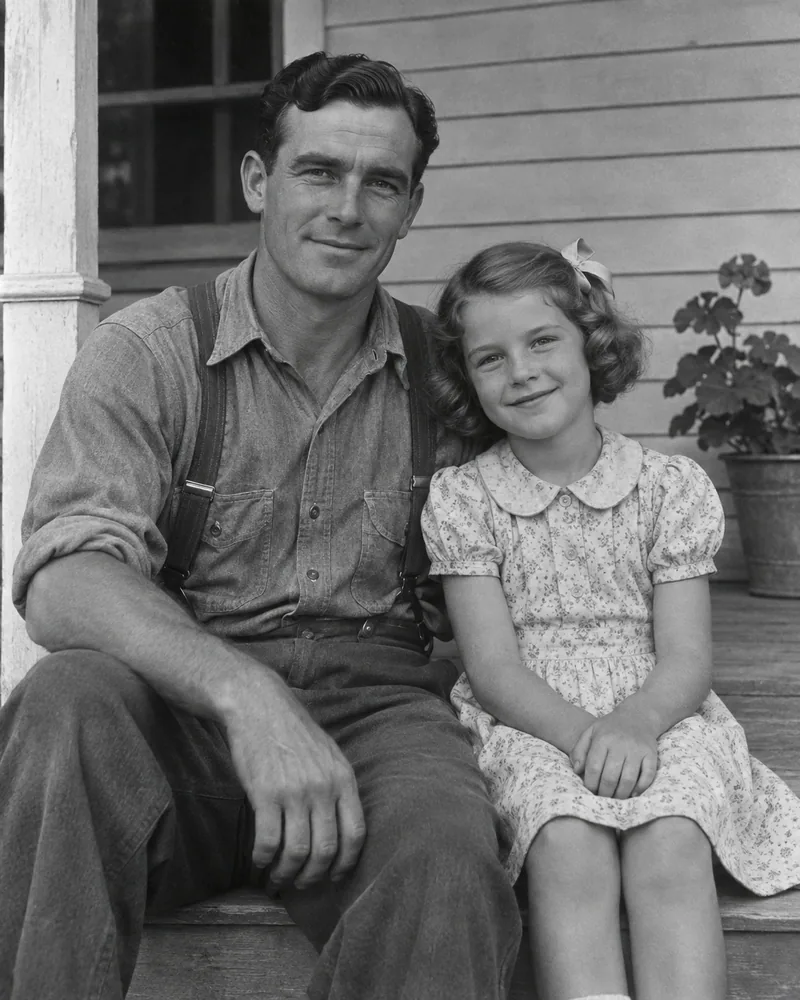 示例结果
如何修复扫描的老照片
- 上传扫描图
打开编辑器的 AI 模式,上传摆正、光线均匀的扫描图或整张照片的翻拍图。建议先用一张参考图。
- 选择修复方式
检查预设提示词,补充难修部位的位置。需要保留原色调时无需添加上色要求。生成前可以查看所需积分。
- 对比并下载
对照原图检查面部、边缘和颗粒感,满意后下载结果。留一份未改动的原始扫描图。