How to Turn One Product Photo into Three Ad Concepts
See how we used one perfume bottle reference and one brief to make three product ad images, with the tested prompts, timing and credits.
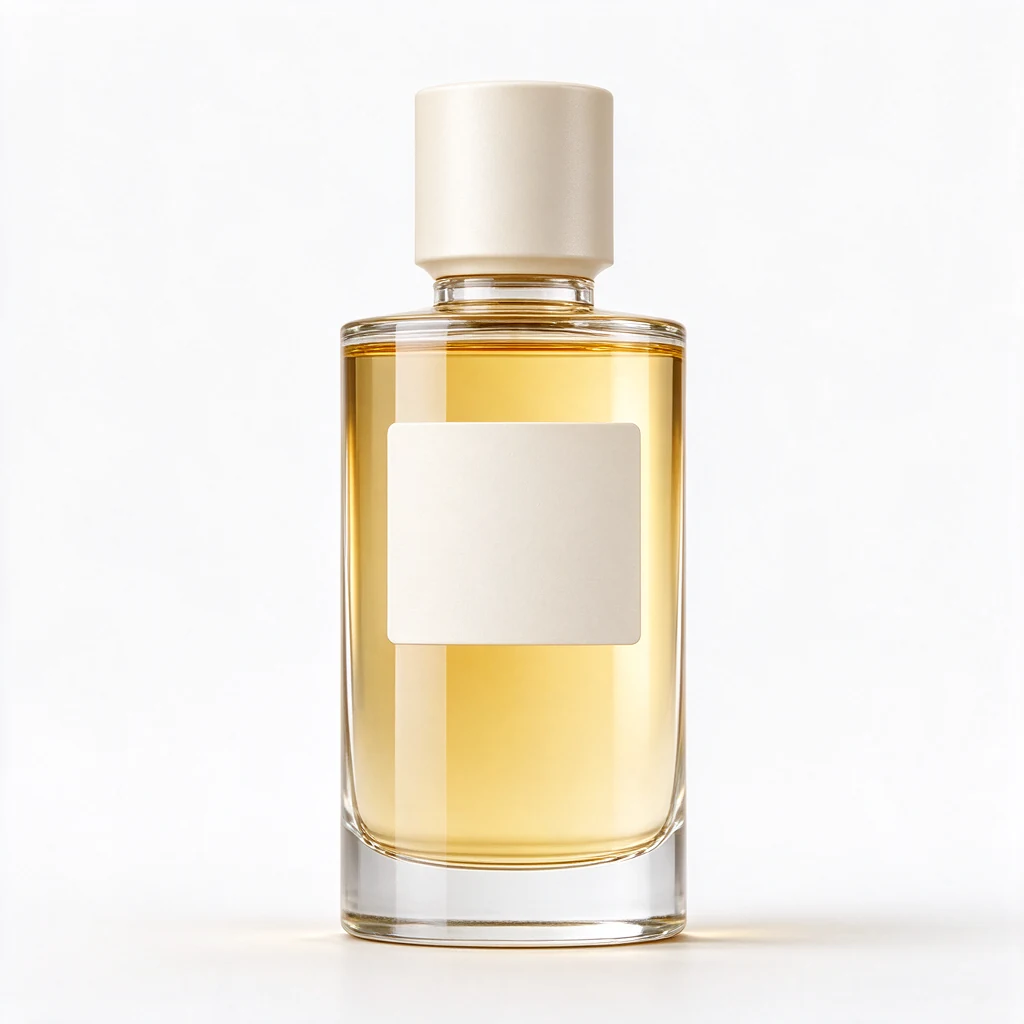
Start with one photo where you can see the whole product, including its cap, base and label. In the brief, name the details each concept should preserve and the parts that can change. We tried this with an AI-generated perfume bottle reference and used Pro directions to explore three settings from one brief.
Write the brief and start the run
Upload your product photo in the ImageCreator generator, select Pro directions and choose three directions. Pro directions require an eligible membership and paid credits. Check the quote before you generate. It includes planning and image generation for the settings you choose.
Here is the brief we used.
Create three distinct high-end perfume campaign photographs from this reference image. Keep this exact bottle shape, proportions, ivory cap, amber-gold liquid and blank ivory label in every image. Show one bottle only. Do not add lettering, logos or ad copy. You may vary the background, lighting and composition.
On your own product, replace the bottle details with the features a customer will recognize. If exact wording on a real label matters, include it in the brief and check each result against the reference before publishing.
Compare the results and their art direction
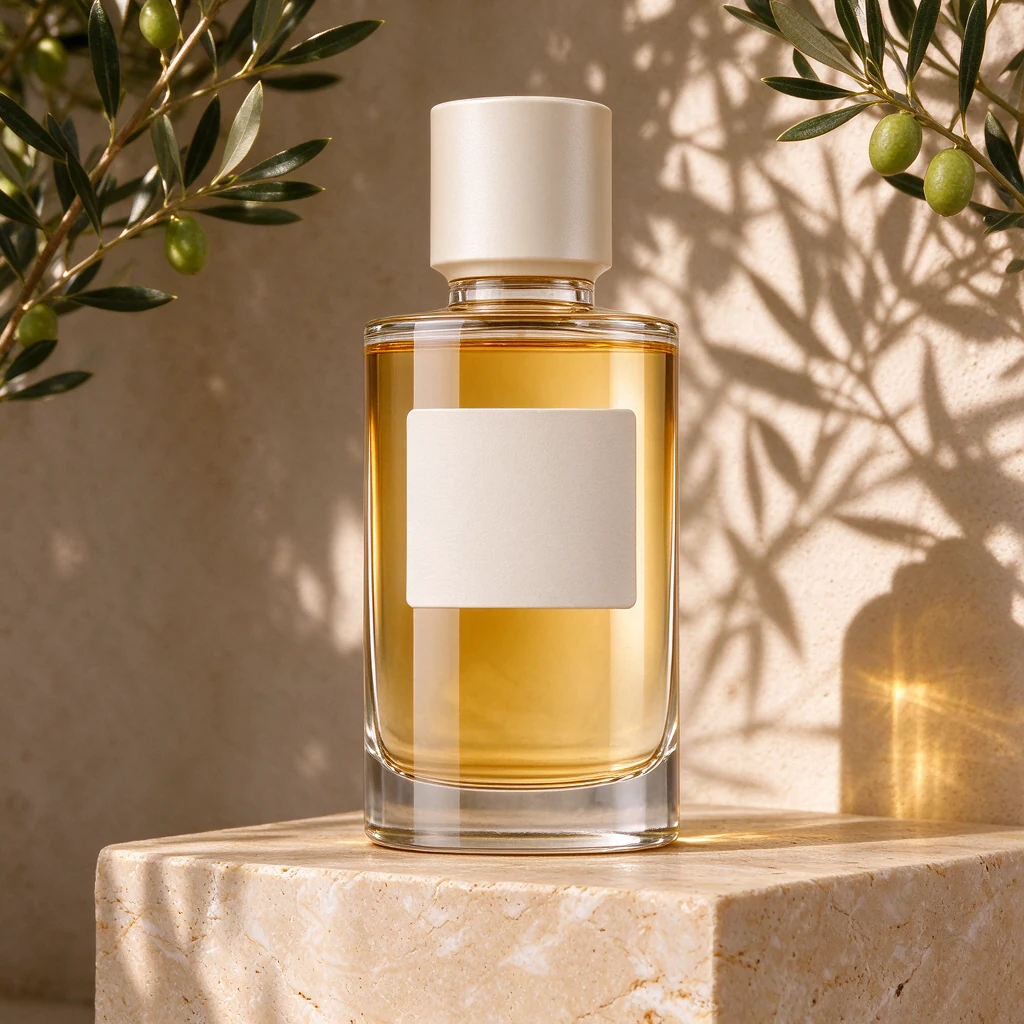
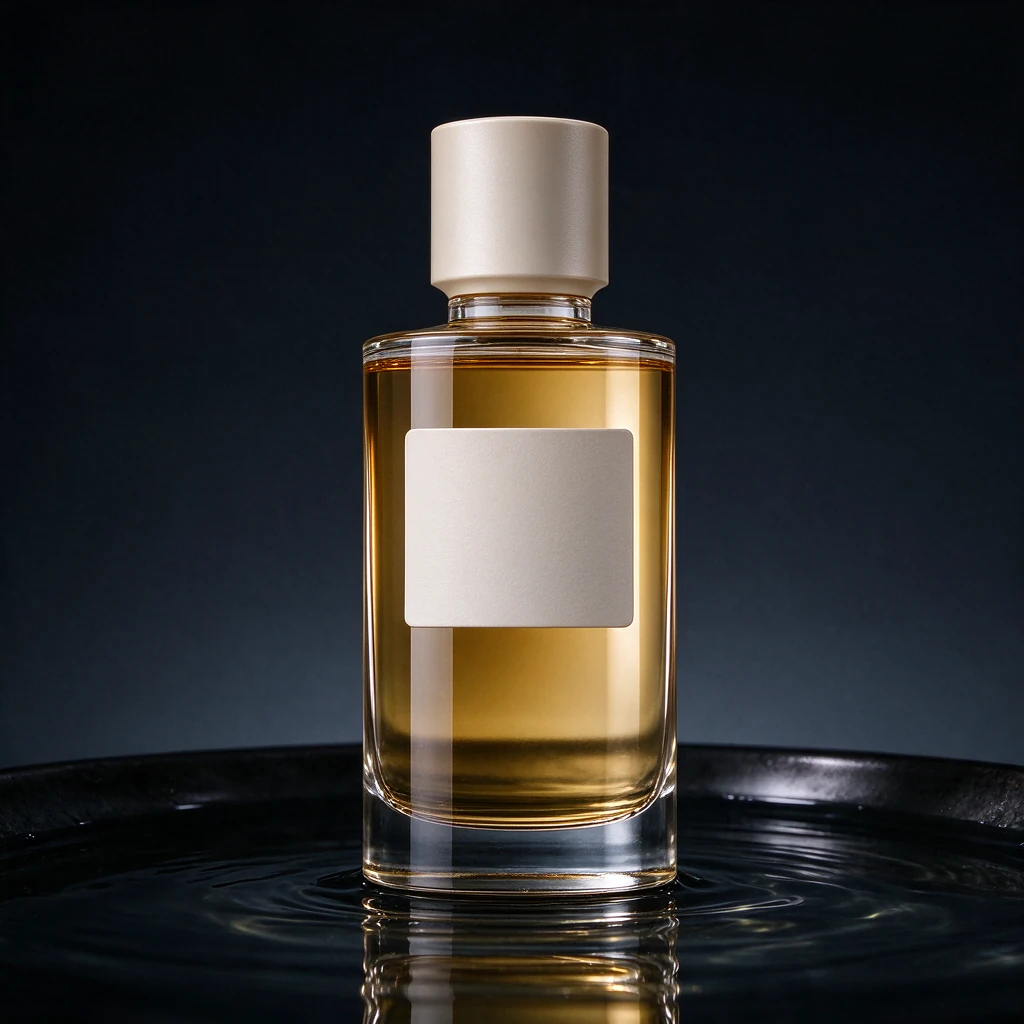
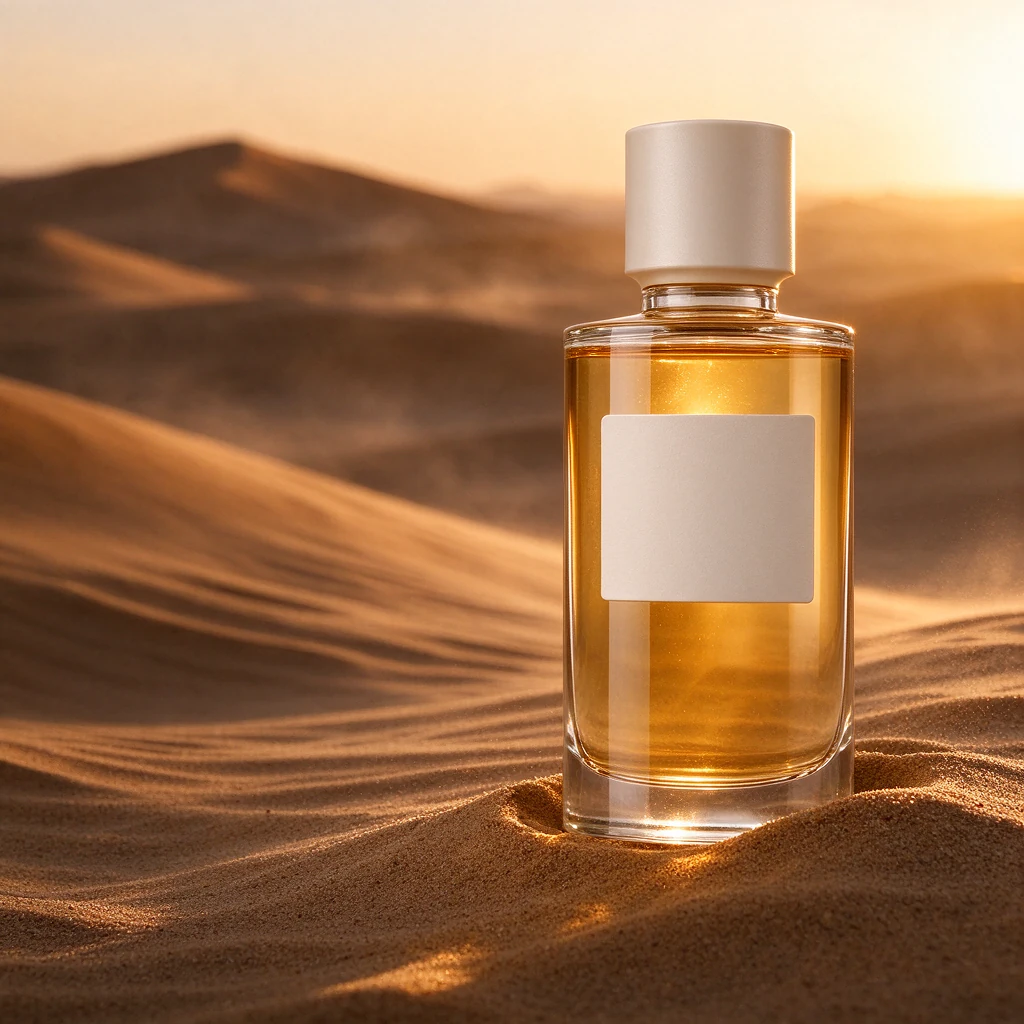
| Direction | What the image prompt asked for | Time from submission |
|---|---|---|
| Sunlit travertine | Put the bottle on beige stone in warm morning light with olive-branch shadows. | 36.5 seconds |
| Dark water reflection | Set the bottle in a shallow pool of dark water, with rim light outlining the glass. | 44.6 seconds |
| Sunset dunes | Place the bottle off center in rippled sand with warm light behind it. | 50.7 seconds |
All three images in this Seedream 5 Flash 1K run were ready after 50.7 seconds. The run used 9 credits, matching the quote. Planning cost 3 credits and the three images cost 6. The full test run includes the exact prompts sent to the image model. Use the live quote and timing for your own settings.
Choose the image that fits your placement
Check the bottle against your reference before choosing a background. In our test, the label stayed blank and the cap remained ivory. The lighting changed how the amber liquid reads from scene to scene. The travertine result also puts olive branches in the frame even though the prompt called for branches out of view. If the product needs cleared space for copy, include that requirement in the next brief and check the edges of the result.
Open the generator and use one reference plus a short list of product details to try your own concepts.